
Catch phishing and risky sign-ins sooner. Keep client information where it belongs.
The Defender and Purview Suites add advanced security and data protection to Microsoft 365 Business Premium, including controls over what Microsoft 365 Copilot can use. IT&T helps you choose, set up and support the right ones for your business.
Discuss your Microsoft 365 setupNo obligation. The form takes about a minute.
 Supporting businesses since 1994
 Microsoft Solutions Partner
 NSW Government ICT Services Scheme (SCM0020)
See how it works in everyday situations
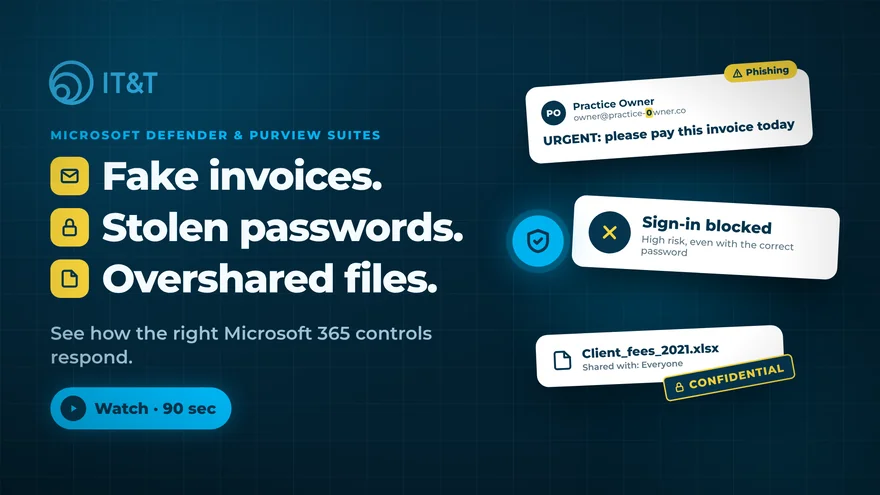
Example scenarios. Results depend on licensing and how policies are configured.
Three situations most businesses will recognise
Business Premium is a strong starting point. These are the gaps the Suites are designed to close.

A fake invoice from “the boss”
One convincing email reaches several inboxes. Your team needs to find every copy and remove it quickly.

A correct password in the wrong hands
Stolen passwords look like normal sign-ins. Risk-based checks can challenge or block them.

Files shared too widely, years ago
Sensitive files stay open to people who no longer need them, and Copilot makes them easier to find.
What you have today, and what the Suites add
Microsoft 365 Business Premium already includes important protection. The Suites add more advanced controls on top.
| Area | With Business Premium | What the Suites add |
|---|---|---|
| Suspicious emails | Scanning of links and attachments, phishing filtering | Helps IT teams find related malicious emails across mailboxes and act on them, according to your approval settings. Defender Suite |
| Sign-ins | Multifactor authentication and sign-in rules you set | Risk-based protection that checks for signs of stolen or leaked sign-ins, even when the password is correct. Defender Suite |
| Threat investigation | Endpoint detection with automated investigation on devices | Connects email, sign-in and device activity to show how an incident developed. Defender Suite |
| Who has access | Groups and permissions | Regular access reviews and time-limited administrator access. Defender Suite |
| Sensitive information | Data loss prevention for email and files; staff label documents themselves | Automatic labelling, plus data loss prevention for Teams chats, devices and supported cloud apps. Purview Suite |
| Copilot and AI | Sensitivity labels applied by staff | Policies that restrict Copilot from using content with specific sensitivity labels in its responses. Purview Suite |
| Evidence | Standard audit | Advanced audit and eDiscovery. Purview Suite |
A capability being licensed doesn’t mean it’s switched on. IT&T can confirm what’s licensed and configured in your environment.
What it means for your business
Pick the situation closest to yours.

Medical practices and healthcare
- A prompt to double-check recipients when an email matches a policy you set
- Know which files hold patient information, without relying on staff to label every document
- Respond faster to fake requests that appear to come from the practice owner

Accounting, legal and financial firms
- Help stop client details being shared with external participants or Teams chats covered by your policies
- Investigate who accessed a client file using available activity records
- Catch more suspicious sign-ins, even when the attacker has the right password

Not-for-profits and community services
- Remove access when a role ends, and use regular reviews to find access that was missed
- Keep client records as long as required, and no longer, with retention rules applied automatically
- Protect information about vulnerable clients in email, Teams and shared files

Using or planning Copilot
Copilot shows people the information they already have access to. If files have been shared too widely over the years, Copilot makes them easier to find.
- Check who can see what before a wider rollout
- Restrict Copilot from using content with specific sensitivity labels
- Set rules for AI sites in the browser for supported apps in Microsoft Edge for Business
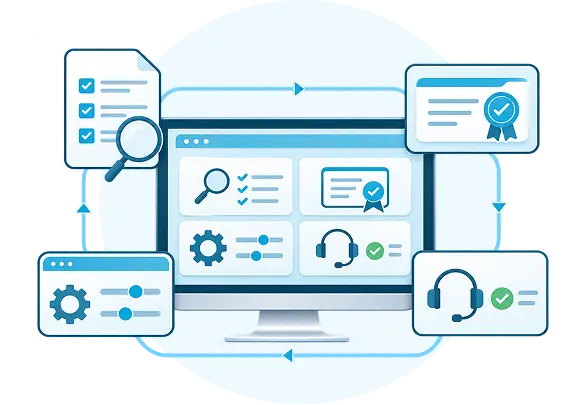
One provider for the licence, the setup and the support

Review
What’s already licensed and configured in your Microsoft 365, and where the gaps are

Licensing
Only the Microsoft subscriptions needed for the agreed capabilities

Implementation
Configuration, testing and rollout, with your staff in mind

Ongoing support
Keeping controls effective over time, within the scope you agree
Before recommending anything, IT&T reviews your current setup to identify any overlap with the tools you already use.
Defender and Purview Suites require Microsoft 365 Business Premium. Licences don’t include implementation, ongoing support, or backup and recovery.
Start with a review of your setupQuestions businesses ask
What do we need first?
Microsoft 365 Business Premium. The Defender and Purview Suites are add-ons to it.
Do we need both Suites?
Not necessarily. Defender focuses on threats such as phishing and account takeover. Purview focuses on protecting and governing sensitive information. The review shows which one addresses your biggest risks first.
Do all staff need a licence?
Every user who benefits from a policy needs the appropriate licence. Licensing a few users doesn’t cover the whole organisation.
Will staff notice a difference?
That depends on the controls you enable. Staff may see an extra sign-in check or a prompt before sharing sensitive information.
We already use another security product. Is there overlap?
Possibly. That is why the review starts with your existing tools, so any recommendation accounts for what you already pay for.
We’re not using AI yet. Is this still relevant?
Yes. The Suites help protect email, accounts, devices and sensitive files today. If you introduce Copilot later, your existing labels and access controls can help you prepare.
Get clear recommendations for your Microsoft 365 setup
Send us a few details and an IT&T specialist will talk through your current setup, your priorities and which Suite, if any, makes sense.
- You send the formIt takes about a minute.
- An IT&T specialist contacts youTo understand your setup and priorities.
- You get clear recommendationsWhat to switch on, what to license, and what you can skip.
No obligation. Your details are used only to respond to your enquiry.
Discuss your Microsoft 365 setup
Takes about a minute. All fields are required.
- Microsoft Solutions Partner
- Supporting businesses since 1994
- NSW Government ICT Services Scheme (SCM0020)